

Bulk Current Injection (BCI) is a widely used method to test how electronic devices handle RF disturbances on their wiring harnesses. In everyday operation, many real-world interference problems begin on cables. For this reason, engineers use BCI to reproduce these conditions in a controlled and repeatable way. Rather than radiating electromagnetic fields through open space, BCI directly injects RF current into the harness using a clamp-on probe. By doing so, the method eliminates uncertainties caused by reflections, chamber size, or test-site geometry. In addition, it gives engineers precise control over the applied disturbance level.
To begin the process, a signal generator creates an RF signal and sends it to a power amplifier. Next, the amplifier delivers the boosted signal to an injection probe that surrounds the wiring harness. As a result, the probe couples RF energy into the cable and produces a known disturbance current. Before running the test, the system performs a calibration. At this stage, it determines how much amplifier power each frequency needs to reach the target current. Afterward, during the actual test, the system applies either the stored drive curve or a real-time closed-loop control. Consequently, it maintains the specified current accurately and sweeps it consistently across the entire frequency range.
By combining direct coupling, precise current control, and stable repeatability, BCI has become a preferred method for ISO 11452-4 immunity testing, MIL-STD-461 CS114, and many OEM-specific requirements.
Which Devices Are Needed
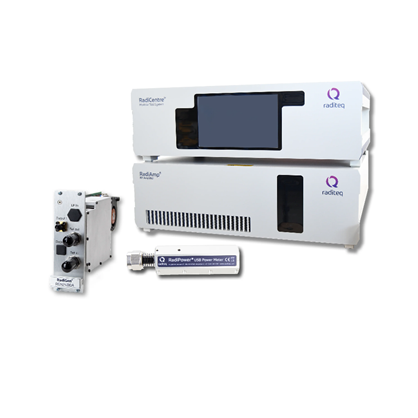
A complete BCI setup requires several RF components. These components work together to generate, inject, and measure disturbance currents. Raditeq provides them as individual products or turnkey BCI bundles. This helps customers quickly build a compliant test system.
Your setup typically includes:
- RF Signal Generator (RadiGen®): Generates clean, stable RF signals. Controls all functions via RadiMation®.
- RF Power Amplifier (RadiAmp®): Amplifies signals across a wide bandwidth. Optimized for closed-loop BCI operation.
- BCI Injection Probe: Clamps around the harness and injects RF current with stable efficiency.
- Current Monitor Probe: Measures feedback during calibration and testing. Supports closed-loop current control.
- Calibration Accessories: Include fixtures, 50 Ω loads, attenuators, and couplers to simplify calibration.
- EMC Test Software (RadiMation®): Automates calibration, testing, reporting, and closed-loop current regulation.
- RF Power Meter (RadiPower®): Monitors forward and optionally reflected power with high speed and accuracy.
- Sensor Signal Analyzer: Analyzes the current monitor probe output to create precise transfer functions.
- Calibrated RF Cables with Correction Data: Deliver signals with known frequency-dependent corrections to ensure accurate calibration.
With these Raditeq components, you can build a fully integrated and fully compliant BCI system with seamless hardware–software interaction.
Perform the test
- Prepare the equipment
Ensure all required RF devices are connected: signal generator, amplifier, injection probe, current probe, power meter, coupler, calibration jig, loads/attenuators, and corrected cables. - Define test levels
Create a correction file in RadiMation®. This contains the required current vs. frequency according to the chosen severity level. - Perform system calibration
RadiMation® determines the forward power needed at each frequency using the injection probe, calibration fixture, and monitoring devices. The result is stored in a calibration (.CAL) file. - Run the EUT BCI test
Using the calibration file and test-level file, RadiMation® automatically applies the correct drive power at each frequency to reach the specified disturbance current. - Generate the report
The software compiles all data such as test setup, drive levels, applied current, and EUT response into a complete compliance report.
For a detailed explanation and step-by-step approach, take a look at our application note: https://wiki.radimation.com/wiki/index.php/RadiMation_Application_Note_154